03. Create a Project
Create a Project
After logging in, you'll be taken to the main platform page. You may choose to use the default My First Project to continue, but it's recommended that you create a new project with a descriptive name! Below, we create an empty project and name it facial-keypoints-1.
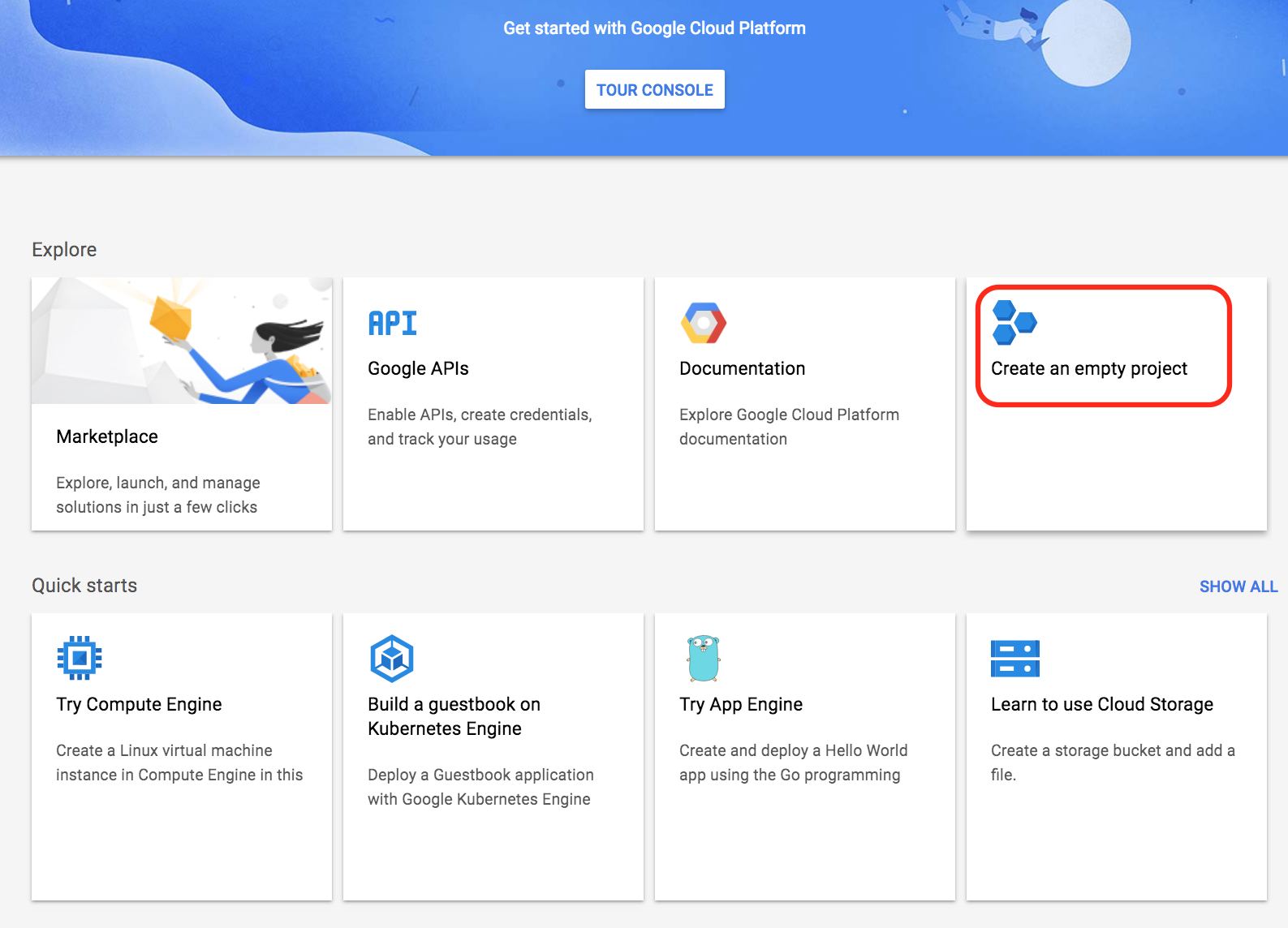
Create an empty project.

Naming a project.
Click create and a new project with that name will become available in your drop-down list of projects on the main page. Select this project to begin working on it and defining your GPU instance.
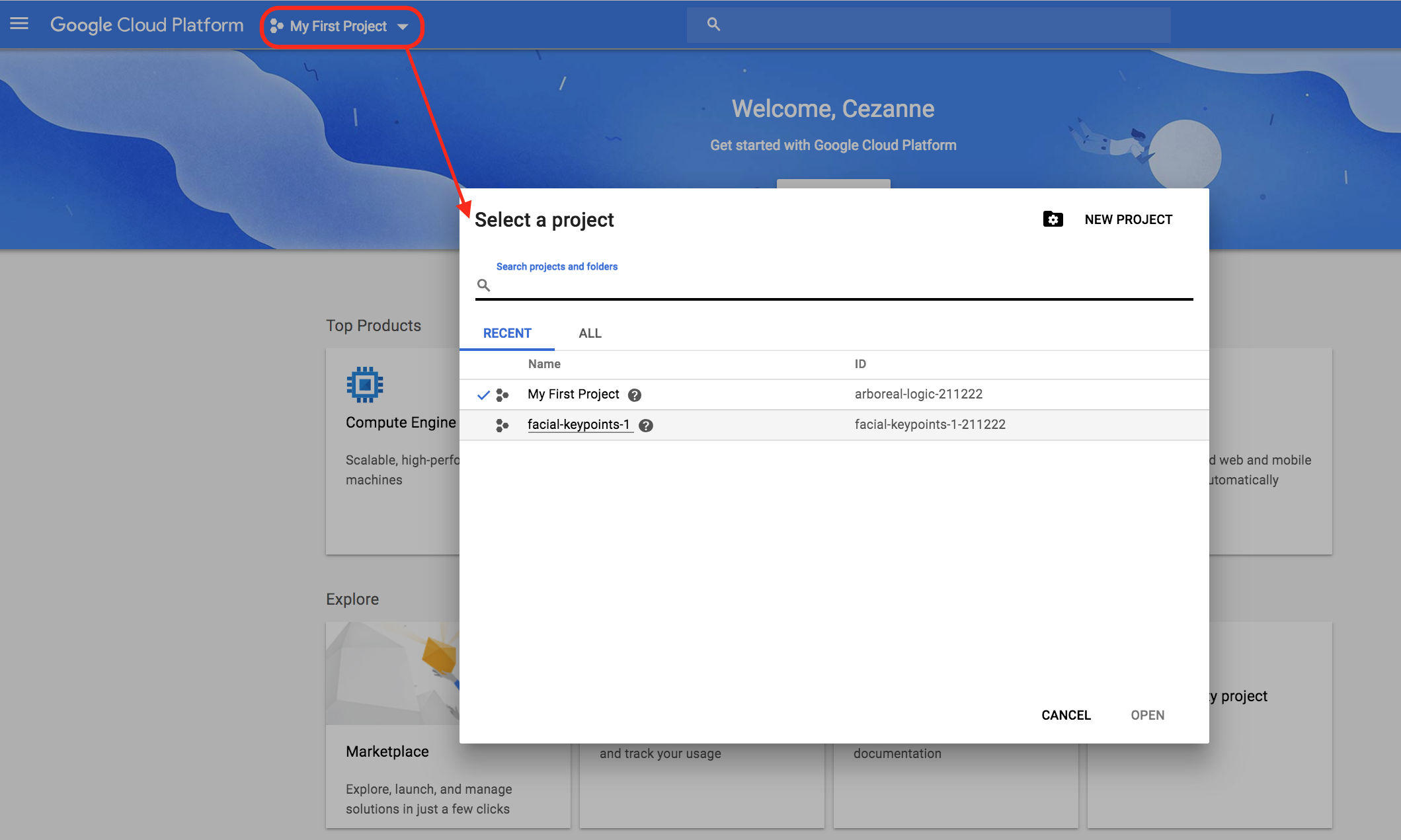
Select the project that you just created.